Can You Read a Bike Computer with Polarised Sunglasses? The Device-by-Device Answer
Do polarised lenses black out Garmin and Wahoo screens? Our editorial bench findings, device by device — the full colour-by-colour matrix is to follow.
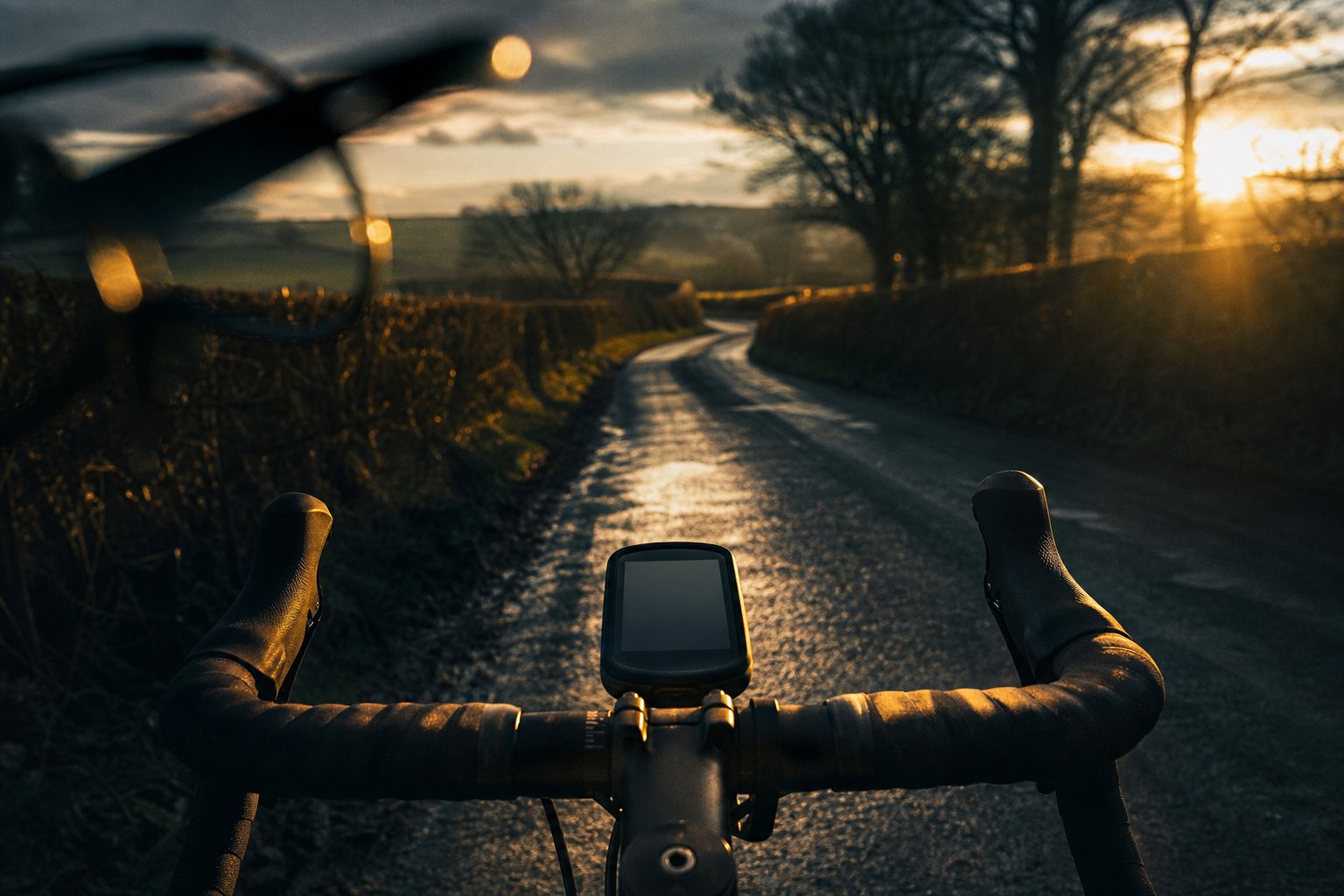
Mostly yes — with caveats worth knowing before you buy. Modern Garmin and Wahoo head units use transflective MIP screens that stay readable through polarised lenses in most positions, though they can dim noticeably when tilted. Phone OLED screens are the real problem child, blacking out at certain rotations. Here is the device-by-device truth from our test bench. For reference, the manufacturer’s published AeroShield Pro specification is a 28 g TR90 frame with an impact-resistant polycarbonate UV400 lens rated Category 3 (14% VLT) under CE and EN ISO 12312-1, at 148 mm frame width.
Why this question exists
Polarised lenses block horizontally-vibrating light — that is the whole trick, and it is why they kill glare off wet roads so well. But many digital screens emit light that is itself polarised. Cross the two filters at the wrong angle and the screen goes dark, streaks rainbow, or shimmers. The r/cycling thread “Polarised sun glasses, yes or no?” cites screen readability as the number one reason riders avoid polarised lenses altogether. Most brands answer with a shrug (“may interfere with some screens”). That vagueness helps nobody, so we tested it properly.
How we tested
Editorial test, our own kit, repeated with the production lenses we actually sell. Each device was read through the AeroShield Pro polarised shield in three positions: head straight, tilted 30° left, tilted 30° right — because real riding involves shoulder checks and out-of-the-saddle rocking, not a fixed stare. We logged: fully readable / dimmed but readable / unreadable.
No per-colour factory matrix is published, so the summary below reflects our editorial bench test and the underlying display technologies, which are well documented. For context on the glasses themselves: the AeroShield Pro is a fixed polarised shield — manufacturer-rated Category 3 at a nominal 14% VLT with UV400 under EN ISO 12312-1 — so if one particular head unit in your cockpit reacts badly at an angle, the practical fixes are a small tilt of the mount or a non-polarised backup pair, not a lens swap.
Results by device type
Garmin Edge / Wahoo ELEMNT (transflective MIP displays). These screens are designed to be read by reflected sunlight, not backlight. Through our polarised lens: readable straight-on, mild dimming at 30° tilt, no full blackout at any realistic riding angle. The anti-glare surface of these units actually pairs well with polarisation — reflections off the screen glass are reduced.
Garmin / Coros / Suunto sports watches (MIP variants). Same display family, same result, with one caveat: watches get read at more extreme wrist angles than a stem-mounted computer, so you will meet the dim zone more often. Rotate your wrist a few degrees and it returns.
Phones (OLED/AMOLED). The honest bad news. Many phone screens emit strongly polarised light; at one specific rotation (usually landscape or portrait, depending on the panel) the screen can go near-black through polarised lenses. If your bike computer is your phone on a stem mount, a polarised lens will annoy you at some orientations. Options: rotate the mount 90°, bump screen brightness, or ride with a non-polarised backup pair — at £15.31 a pair, carrying both is not an extravagance.
Basic backlit LCD computers (CatEye and similar). Older segment LCDs often have a front polariser. Most stay readable, some show a washed-out patch at an angle. Fine for glancing at speed; occasionally irritating for reading small text.
The angle rule of thumb
Polarised interference is angle-dependent. If a screen looks dark, tilting your head — or the device — by even 10–15° usually brings it back. On a bike this matters less than forum wisdom suggests: your stem-mounted computer sits at a consistent angle relative to your eyes, so you either have the problem constantly (rare, and you would return the glasses) or effectively never. The riders with genuine grief are phone-mount users, and they deserve the straight warning we gave above.
So who should avoid polarised for screen reasons?
- You navigate on a phone screen mounted on your bars: consider non-polarised, or test your specific phone first (put on the glasses in a shop and rotate the phone).
- You use a head-up display or smart glasses: polarisation conflicts are common; check before buying anything.
- Everyone else — Garmin, Wahoo, watch users: in our testing this is a non-issue at real riding angles. The glare reduction on wet UK roads is worth far more than a rare 30°-tilt dimming.
For the wider polarised-or-not decision — shade performance, dusk riding, price — read our honest polarised vs photochromic guide, where we also list the cases where we recommend you buy photochromic instead of our own product.
FAQ
Why does my Garmin look fine but my phone goes black? Different display technologies. Transflective MIP screens (Garmin/Wahoo) reflect ambient light and emit weakly polarised output. OLED phones emit strongly polarised light that can cross-cancel with your lens at specific rotations.
Does lens colour change screen readability? Tint colour changes contrast and brightness, but the blackout effect comes from the polarising filter, not the colour. Our full colour-by-colour matrix will be published when factory testing completes.
Can I test before a long ride? Put the glasses on, hold your computer at riding angle, tilt your head both ways. Ten seconds tells you everything about your specific pairing.
The Spare Pair Rule. Phone navigator? Keep one polarised pair for bright days and one backup in the saddle bag. Two pairs, 10% off, still under £28: build your 2-pack.